
PHOTO PREP GUIDE · Updated October 2, 2026
Airbnb photo size & requirements.
Use horizontal photos with enough detail to stay clear after cropping. Airbnb’s Help Center gives a 1024 × 683 px baseline; its hosting guide recommends 1200 × 800 px or larger and files up to about 10 MB.
| Resolution | Help Center: at least 1024 × 683 px. Hosting guide: at least 1200 × 800 px. |
|---|---|
| File size | Hosting guide: up to about 10 MB per photo. |
| Orientation | Horizontal. Keep the important subject near the center for thumbnail crops. |
| Our export suggestion | A landscape JPEG at 2048 × 1365 px, when your original is large enough. This is our preset, not an Airbnb requirement. |
| Cover photo | Use the same resolution guidance; preview both the square search crop and the wider listing view. |
Sources checked October 5, 2026: Airbnb Help Center: taking great photos · Airbnb Resource Center: photographing your listing.
Choosing the first image guests see? Follow our Airbnb cover-photo and photo-order guide to check the crop and update your cover.
GIVE YOUR LISTING A BETTER FIRST LOOK
Right size. Now bring out
the best in your photo.
Brighten a dim room and balance the color while keeping the property faithful to the original. Compare a free AI edit of your own photo before you decide.
Free watermarked preview · No account or credit card needed.
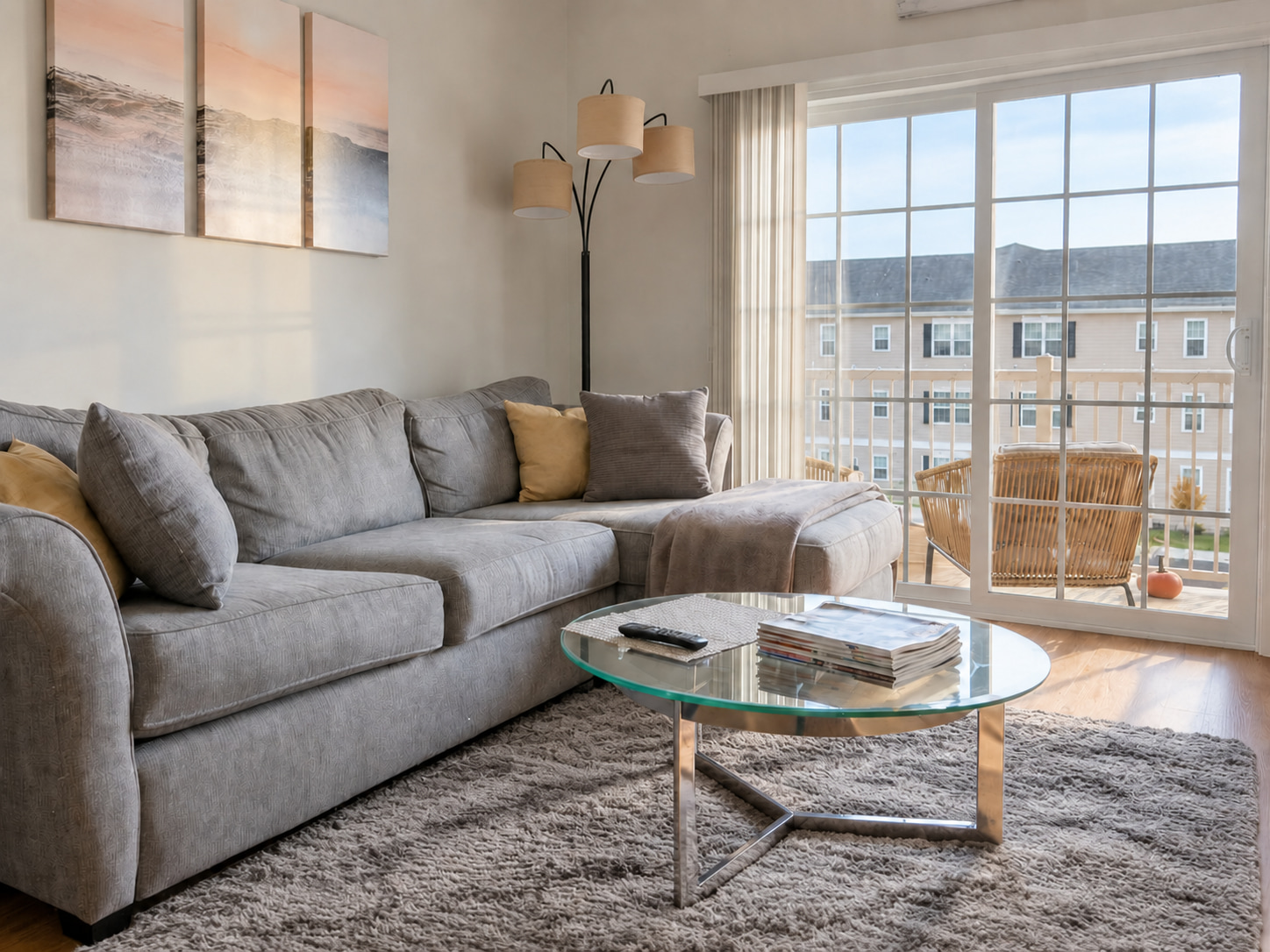
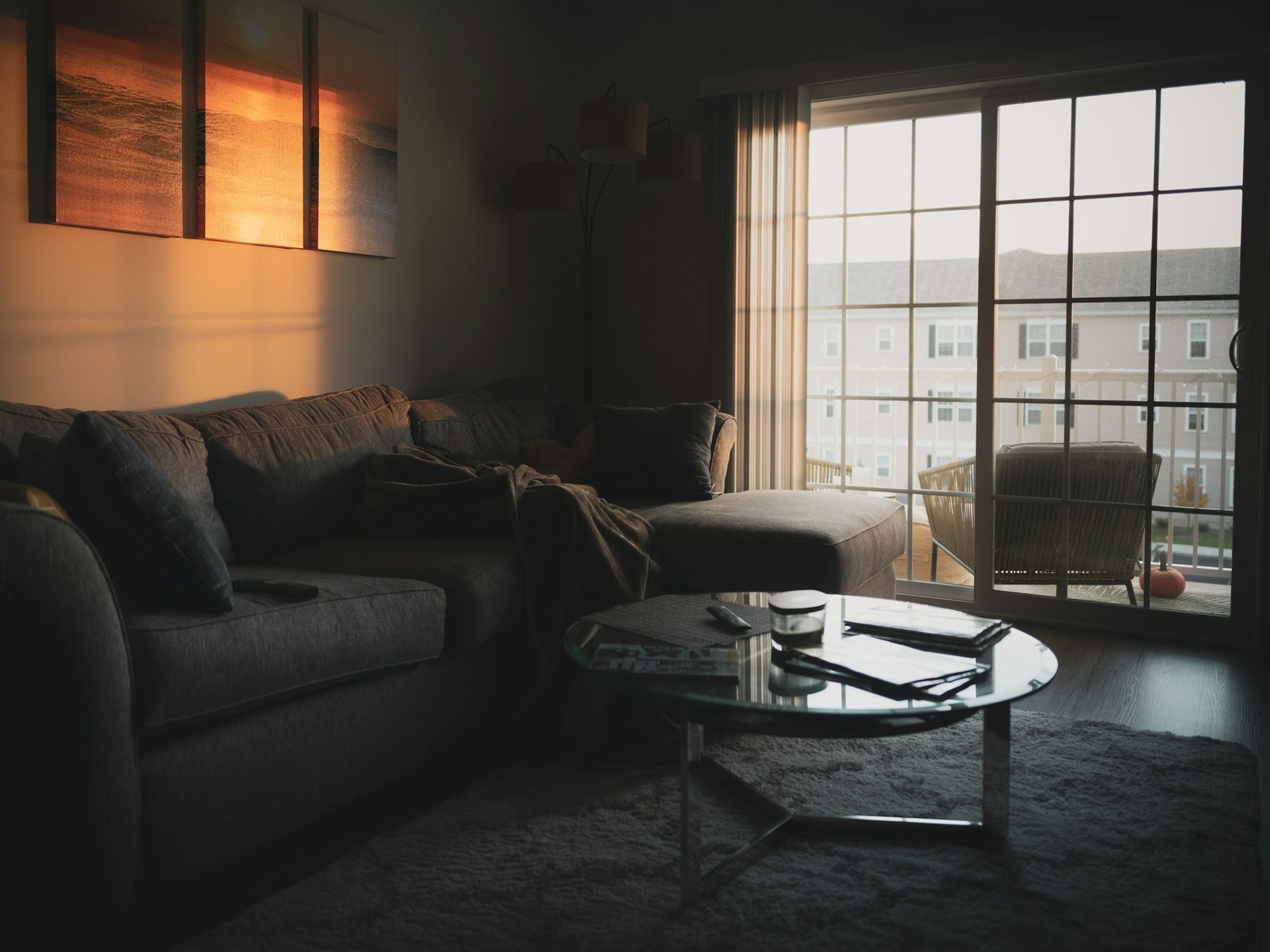
What we changed
- Brightened & balanced lighting
- Decluttered the coffee table
- Tidied pillows & throw
- Preserved the rug & window view
Drag to compare the edit. Explore more examples. Review your own edit before publishing.
What is the Airbnb photo size limit?
Airbnb’s two guides give different resolution recommendations. Both favor larger, horizontal source images. The 1024 × 683 px figure is the Help Center baseline; the hosting guide recommends 1200 × 800 px or larger. You do not need to shrink a good original to exactly either size.
The hosting guide also mentions files up to about 10 MB. Check both resolution and file size: compression can bring a large JPEG under the limit while preserving its dimensions.
If an upload fails, check the dimensions and format, export a fresh JPEG, and reduce file size while inspecting the result. A large file can still be blurry; extra bytes cannot restore missing focus.
Choose a cover photo that survives the crop
Use a photo that explains the property at a glance: the main living space, an inviting exterior, or a distinctive amenity that is actually available to guests. A close-up of decor can work later in the gallery, but usually communicates less as a cover.
Airbnb describes square crops in search and landscape display on the listing page. Leave room around the focal point. Check that a pool, bed, or view is not cut off at the thumbnail edge. There is no need to create a separate tiny cover file.
Resize without stretching or losing the room
Start with the original camera file rather than a screenshot, social-media download, or image saved from your live listing. Those copies may already be compressed.
Our Airbnb resizer center-crops to a 3:2 export preset, then scales down without enlarging a small original. The crop can remove important details from a portrait or wide image. Inspect the preview and exported dimensions before uploading.
Our resizer converts HEIC and HEIF on your device. For camera RAW, export a JPEG in your photo app or use FrameLifter’s separate enhancement uploader for supported originals.
How many photos should an Airbnb listing have?
Make the gallery complete before making it long. Show each bedroom, bathroom, shared room, the entrance, outdoor areas, and any amenities guests can use. Add a wide shot for layout and a closer view when it explains something useful.
Our editorial starting point is 20–30 distinct images for a multi-room property; a small studio may need fewer. That is a planning suggestion, not an Airbnb minimum or an upload cap. Skip near-duplicates and do not add filler to reach a number.
Group photos by room in the photo tour. Captions can clarify sleeping arrangements, shared access, stairs, or an amenity’s location. Show limitations clearly so guests can judge whether the stay fits their needs.
When to edit and when to take another photo
Exposure and color correction can help a dim room read more clearly. Straightening can improve a tilted composition. Resizing alone changes neither problem, and it cannot recover an out-of-focus subject.
Retake a photo if the room is obscured, the camera is moving, or an important area is missing. Open curtains, stabilize the phone, and photograph from a neutral height. Prepare the actual space before shooting.
Compare any enhanced result with the original before publishing. Check windows, furnishings, surfaces, and amenities. A rental photo should represent what a guest will find; a virtually furnished empty room is not evidence of furniture supplied with a stay.
Frequently asked questions
What size should Airbnb photos be?
Airbnb’s Help Center says at least 1024 × 683 px; its hosting guide recommends at least 1200 × 800 px. Use a larger horizontal original when available. Our 2048 × 1365 px preset is an export suggestion, not a platform requirement.
Does Airbnb require a 3:2 aspect ratio?
The cited baseline dimensions are approximately 3:2, but the guidance emphasizes horizontal photos. Check both the square search thumbnail and landscape listing display instead of assuming one crop fits every placement.
Can I resize photos free?
Yes. The linked resizer accepts JPG, PNG, WebP, HEIC/HEIF, AVIF, GIF and BMP and converts them to JPEG on your device. Optional AI enhancement is a separate upload with free previews and paid finished downloads.