
LESS FILE PREP. MORE TIME FOR YOUR LISTING.
Free Airbnb photo resizer.
Check your Airbnb photo dimensions, preview the crop, and download ready-to-upload JPEGs. Start with the originals for the best result.
- Private, on-device resizing
- Free · No account needed
- Center crop to 3:2
Check & resize your photos
Everything happens in your browser. Your photos are never uploaded anywhere — drop in photos to check them against Airbnb's size spec, then crop and resize with one click.
JPG, PNG, WebP, HEIC/HEIF, AVIF, GIF and BMP · Up to 50 MB each
GIVE YOUR LISTING A BETTER FIRST LOOK
Right size. Now bring out
the best in your photo.
Brighten a dim room and balance the color while keeping the property faithful to the original. Compare a free AI edit of your own photo before you decide.
Free watermarked preview · No account or credit card needed.
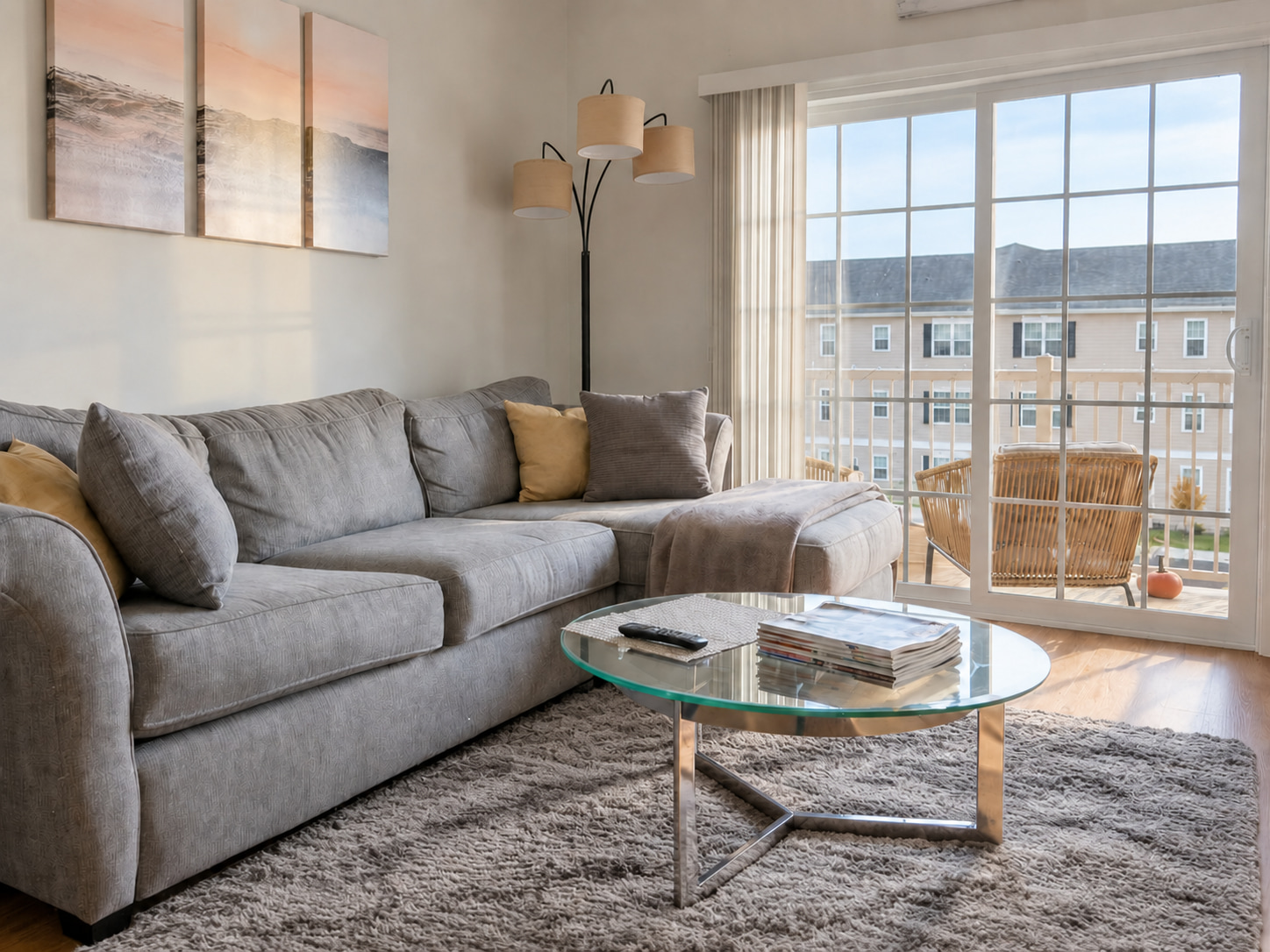
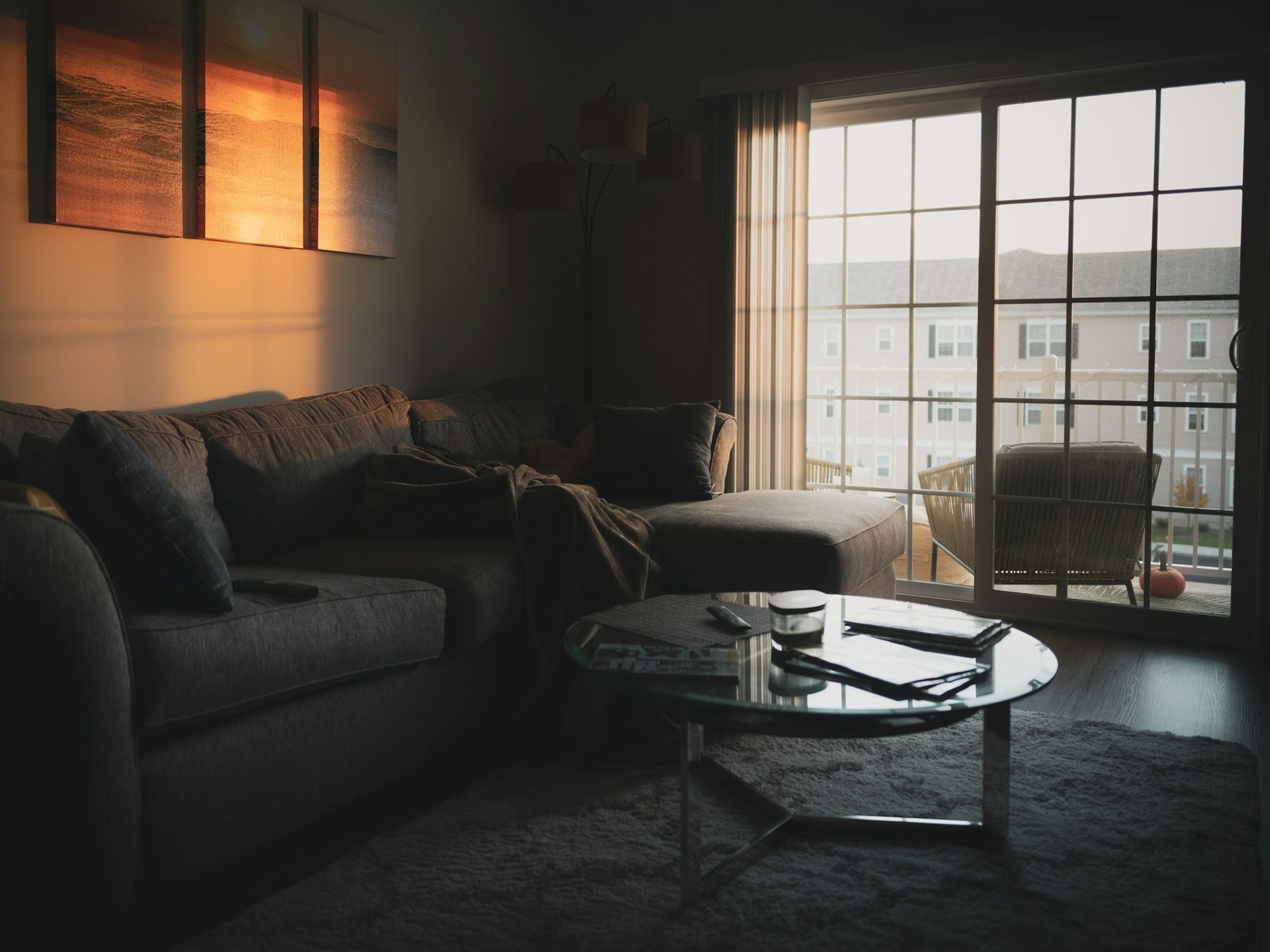
What we changed
- Brightened & balanced lighting
- Decluttered the coffee table
- Tidied pillows & throw
- Preserved the rug & window view
Drag to compare the edit. Explore more examples. Review your own edit before publishing.
BEFORE YOU EXPORT
Airbnb photo size requirements
Choose the export size that suits your listing. These are published guidelines; inspect the exported file and crop before uploading.
| Resolution | Help Center: at least 1024 × 683 px. Hosting guide: at least 1200 × 800 px. |
|---|---|
| File size | Hosting guide: up to about 10 MB per photo. |
| Orientation | Horizontal. Keep the important subject near the center for thumbnail crops. |
| Our export suggestion | A landscape JPEG at 2048 × 1365 px, when your original is large enough. This is our preset, not an Airbnb requirement. |
| Cover photo | Use the same resolution guidance; preview both the square search crop and the wider listing view. |
Sources: Airbnb Help Center: taking great photos · Airbnb Resource Center: photographing your listing.
Read the complete Airbnb photo requirements guide for file limits, cover photos, and upload troubleshooting.
Before exporting your lead image, check its thumbnail crop and choose your Airbnb cover photo.
A CLEANER UPLOAD, IN THREE STEPS
Prepare once. Publish with confidence.
- Start with the original.
Choose a camera file instead of a screenshot or a photo saved from your live listing. Edit lighting and color before the final resize. - Check the preview and file size.
Inspect the center crop for missing room details. Small originals stay small, so check the final dimensions. - Review the published listing.
Check your cover photo and thumbnails after uploading. Follow your platform’s rules for watermarks, text, and edited images.
Need to improve the photo itself? Explore Airbnb photo editing.
A few useful answers.
Are my photos uploaded anywhere?
Resizing runs on your device. Your photos are only sent to FrameLifter if you choose the separate, optional AI enhancement preview.
Will the output match the dimensions I choose?
The tool center-crops to the export ratio, then resizes without enlarging your original. Inspect the crop and exported dimensions; a small source can remain below the platform’s minimum.
Can I resize several photos at once?
Yes. Choose multiple photos, each up to 50 MB, check their dimensions, then crop and resize your batch. Review each preview before downloading.
Which photo formats can I use?
Choose JPG, PNG, WebP, HEIC/HEIF, AVIF, GIF and BMP. HEIC and HEIF phone photos are converted on your device. Downloads are JPEGs; animated images use their first frame, and HEIC collections use the primary photo. Transparent areas become white.
Does resizing improve lighting or fix blur?
Resizing changes image dimensions and JPEG file size. Lighting and color correction are separate edits. Try an enhancement preview for a dim room; retake an out-of-focus photo when possible. Resize the finished edit last.