
AI virtual staging
Virtual staging.
Help them picture
living here.
Show how a room could be furnished. Explore actual example edits, check what changed, and work out the cost for your listing.
Watermarked demo · No account or card to try
Paid staging starts at $4.99, after enhancement.
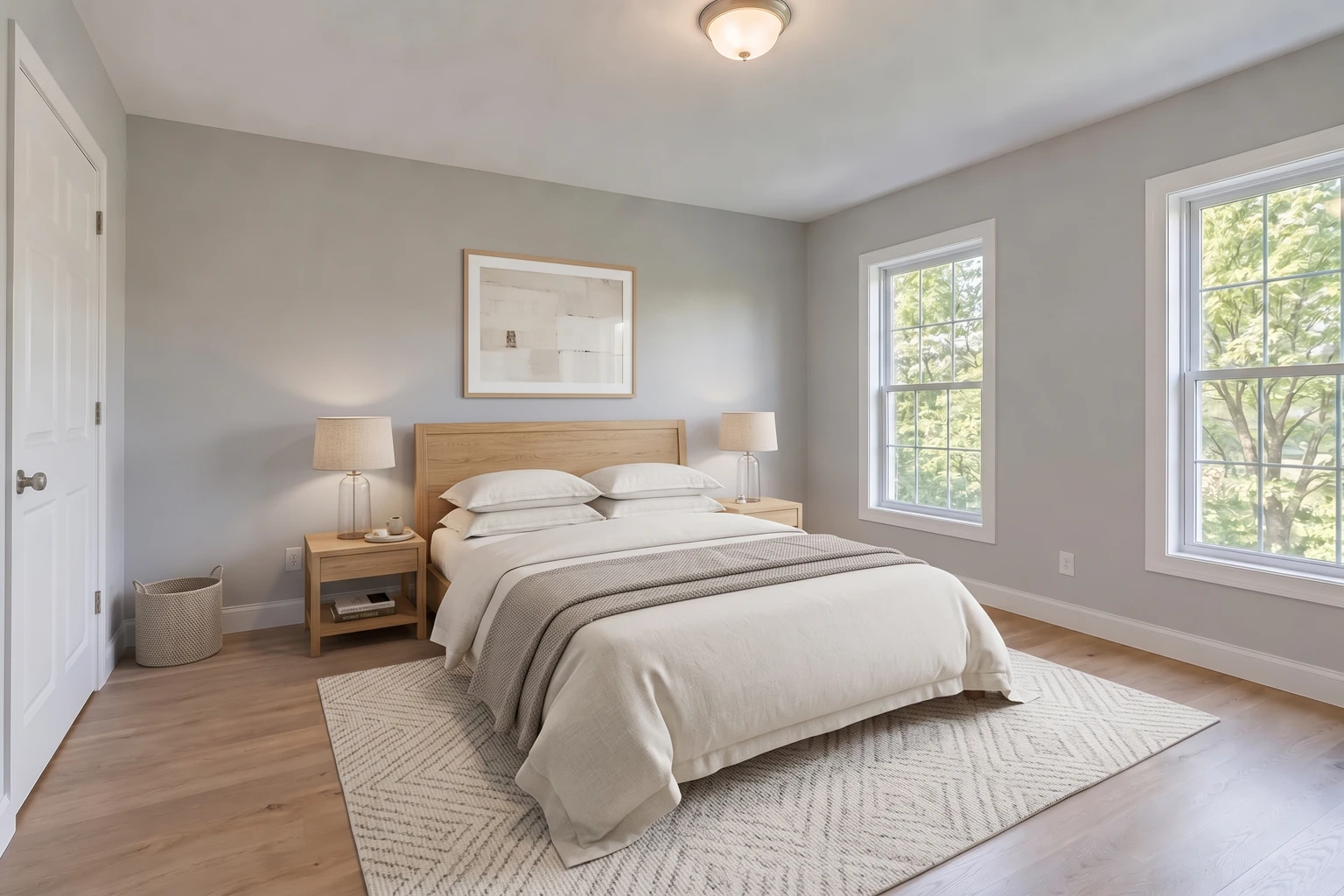
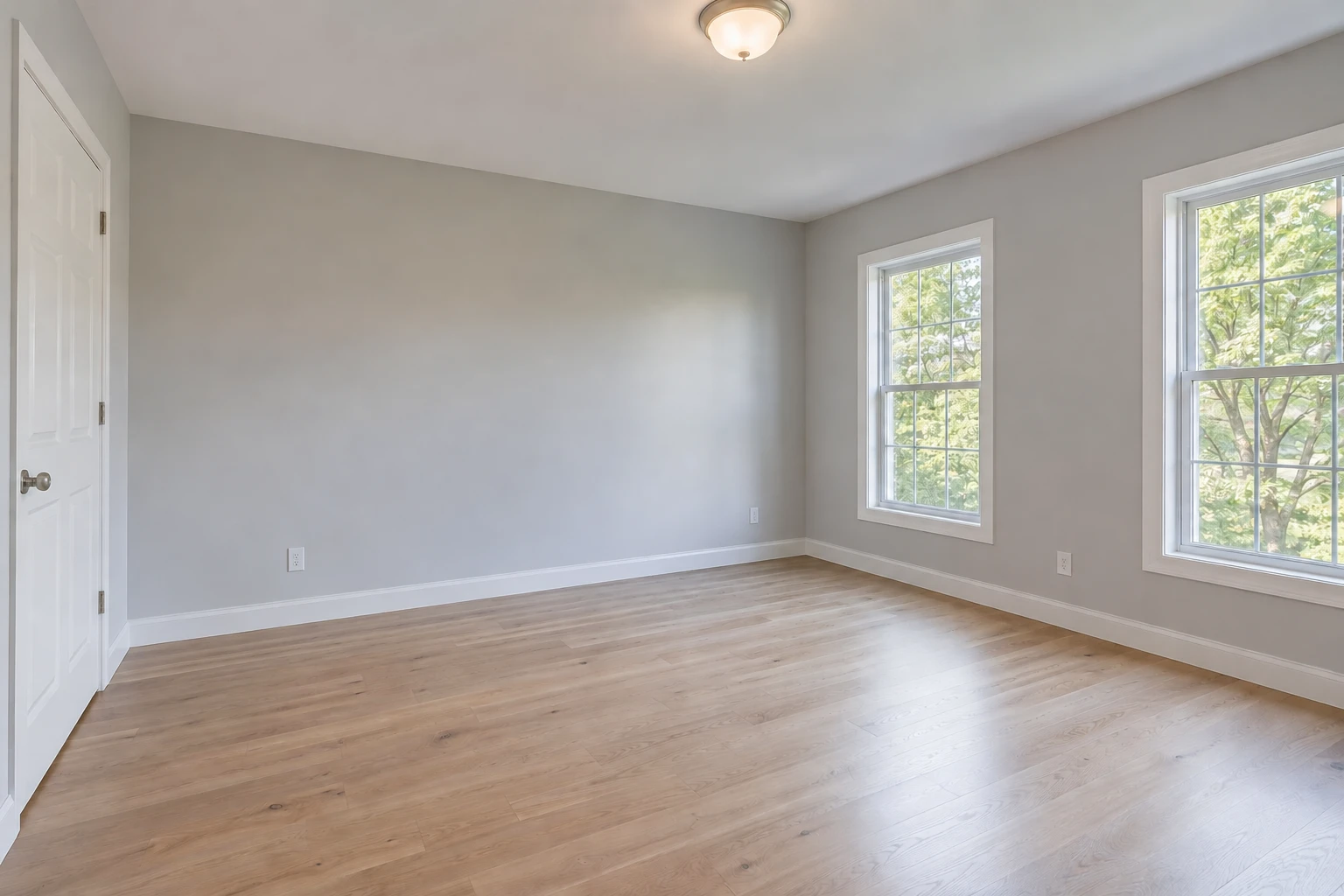
- Added a bed, bedside tables and lamps
- Added a rug, artwork and small decorative items
- Compare the two windows, closet door and oak flooring
From empty to furnished
A simple path, with a preview first.
Preview one empty room
Use the free staging demo to see a watermarked example from your photo. Or start a listing with a free enhancement preview.
Buy your enhancement
Upload the originals and compare your first enhanced photo before paying. One photo is $1.99; a listing starts at $9.99.
Add staging from your gallery
Once enhancement is paid for, select the eligible empty-room photos to stage. Staging is optional and purchased separately.
No subscription
What would your listing cost?
Move the sliders to see enhancement and optional staging together. The estimate uses the same prices as checkout.
Each view counts as a photo. Two angles of the same room count as two staging edits.
- Photo enhancement · 10 photos
- $19.94
- Optional staging · 3 photos
- $11.99
Enhancement is purchased first. Staging is a separate purchase from your finished gallery.
$4.99 each for 1–2 staging edits; $11.99 for 3, then $2.99 per extra edit in the same purchase.
Start with a free enhancement preview →Before you publish
Furnish the room.
Keep the real property.
Staging should help explain a space. Compare the edit with the original, especially around doors, flooring and windows.
Your final review
- Are the same doors, windows and fixed features present?
- Is the original floor or carpet still there?
- Does furniture fit without blocking access or stretching the room?
- Have you disclosed the digital furniture and kept the original photo?
AI edits need review. Use your MLS or platform's current disclosure requirements.
Virtual staging, explained.
What is virtual staging?
Virtual staging adds digital furniture and decor to a photo of an empty room. It helps someone picture a use for the space. The furniture is not part of the real property; keep the original photo and make the staging clear when you publish.
How much does FrameLifter virtual staging cost?
Staging is a separate purchase after photo enhancement: $4.99 each for one or two photos, $11.99 for three, then $2.99 per extra photo in the same staging purchase. Enhancement starts at $1.99 for one photo. The calculator shows both costs.
Can I try virtual staging for free?
Yes. The free staging demo creates a watermarked preview of an empty room without an account or credit card. Daily limits apply. The demo is separate from the paid listing workflow, which creates a new result.
Does staging change the actual house?
The edit is intended to add furniture and decor while retaining the real room: its layout, flooring, doors, windows and fixed features. Compare every result with the original before using it. If a permanent feature changes, do not publish that version.
Can I stage a room that already has furniture?
This workflow is for empty rooms. For an occupied space, start with photo enhancement to improve lighting and color. Replacing furniture or renovating the room is outside this staging workflow.
Can I publish a virtually staged photo on an MLS?
Check the current rules of your MLS or listing platform before publishing. Clearly disclose digitally added furniture, keep an unstaged photo available, and use the label or original-photo pairing your platform requires. Do not treat a watermarked demo as a listing download.