
LESS FILE PREP. MORE TIME FOR YOUR LISTING.
Free MLS photo resizer.
Get your listing photos to the right size, without cutting out the room. Resize a whole batch, check the results, and download in one go.
- Private, on-device resizing
- Free · No account needed
- No cropping or stretching
Your listing photos
Multiple formats in · JPEG outResizing and format conversion stay on your device.
GIVE YOUR LISTING A BETTER FIRST LOOK
Right size. Now bring out
the best in your photo.
Brighten a dim room and balance the color while keeping the property faithful to the original. Compare a free AI edit of your own photo before you decide.
Free watermarked preview · No account or credit card needed.
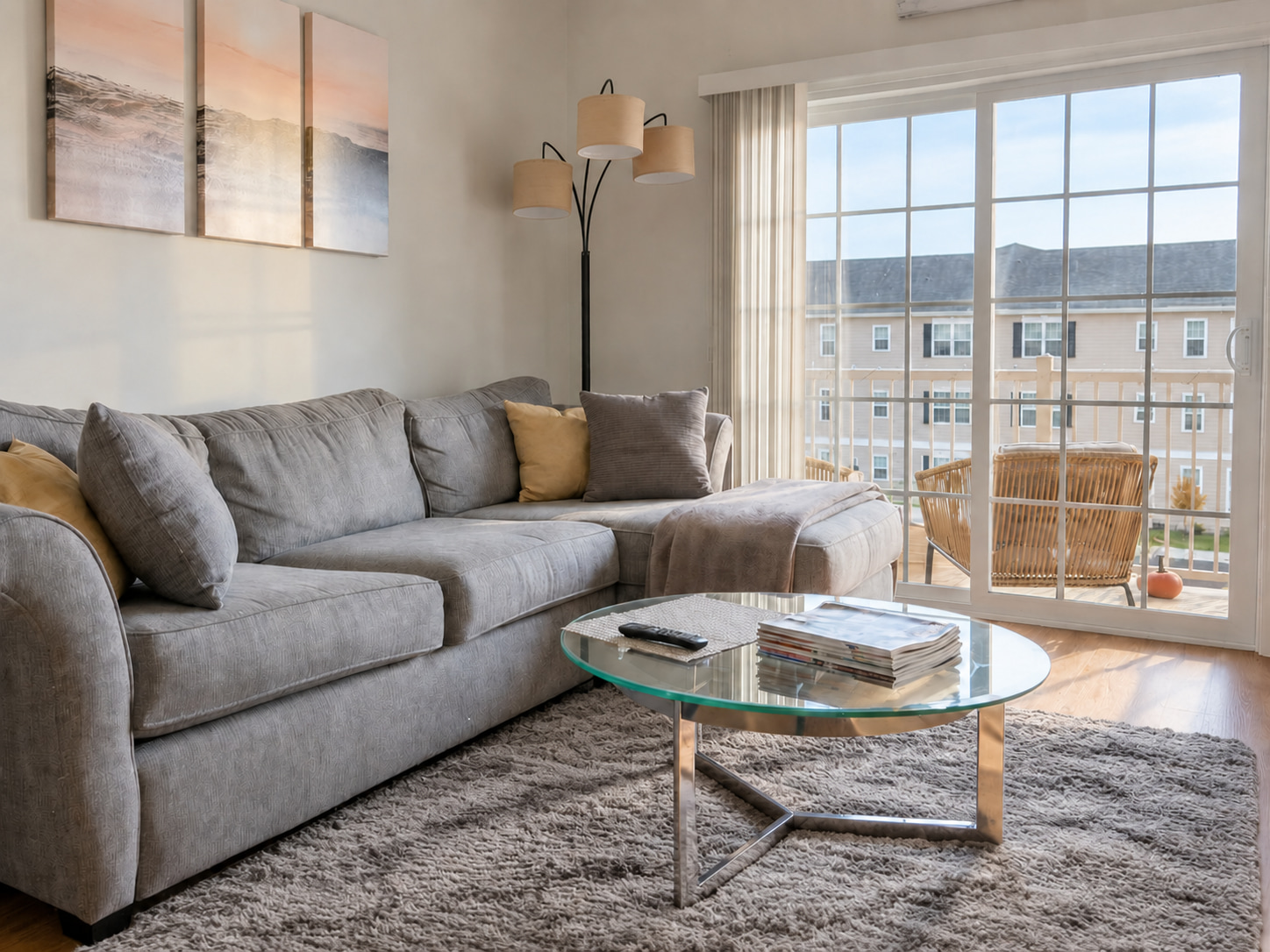
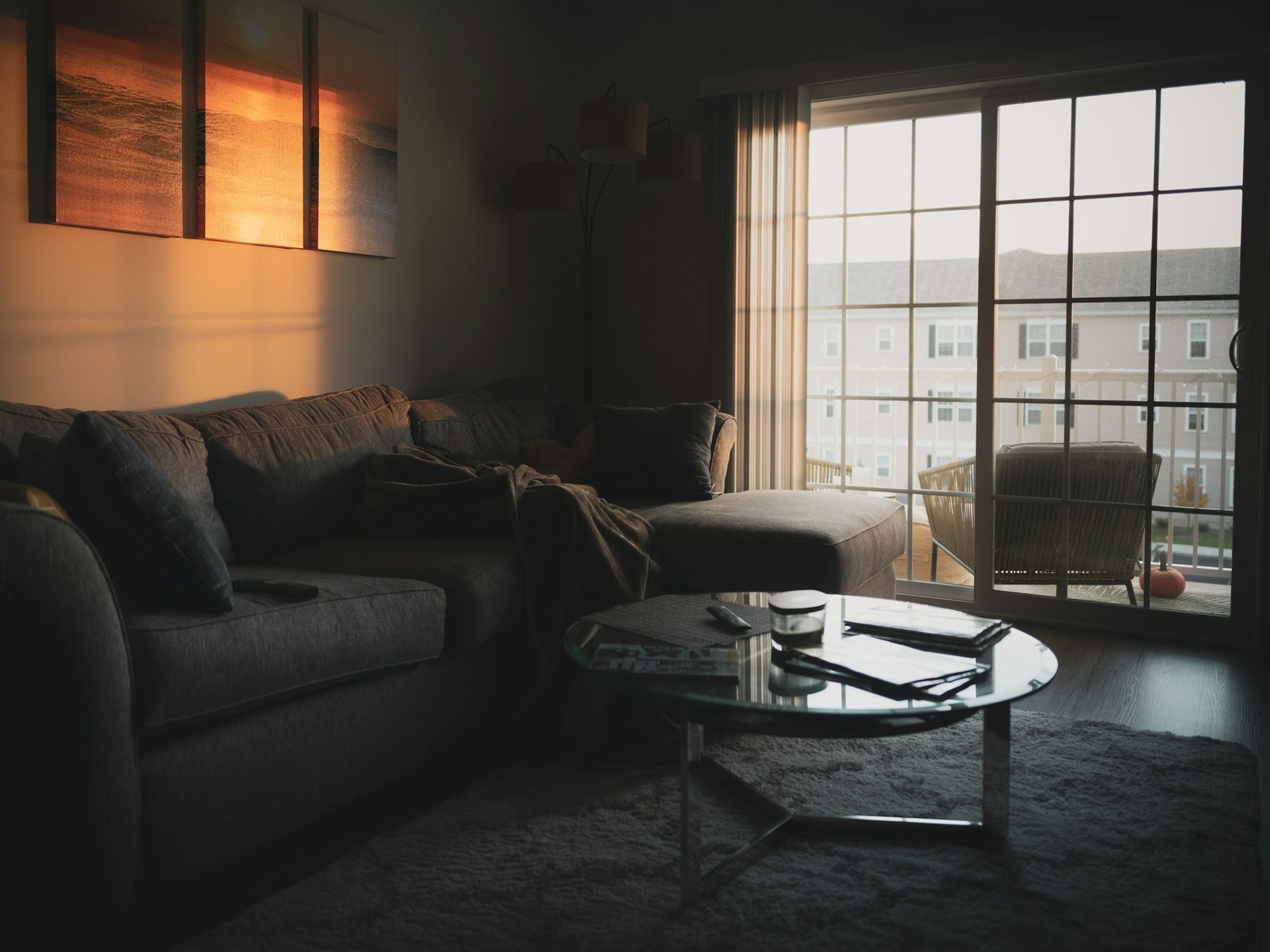
What we changed
- Brightened & balanced lighting
- Decluttered the coffee table
- Tidied pillows & throw
- Preserved the rug & window view
Drag to compare the edit. Explore more examples. Review your own edit before publishing.
BEFORE YOU EXPORT
MLS photo size requirements
MLS photo requirements depend on your board and software. Start with their specifications, then choose a preset or enter custom dimensions above.
| Bright MLS | Its August 2023 quickstart recommends JPEGs at 1024 × 768 px or larger. Check for newer guidance in your account. Bright’s guide |
|---|---|
| CRMLS Flexmls | The photo guide lists a maximum of 15 MB or 3000 × 2000 px per photo. Other MLS software can differ. CRMLS guide |
The presets are export sizes, so check your board’s limits before choosing one. A 3:2 photo fitted inside 2048 × 1536 px exports at about 2048 × 1365 px, preserving the entire frame.
Publishing through the MLS to Zillow? See where to update your listing photos.
Still preparing the originals? Our HDR photography guide explains how to capture room and window detail before the final export.
A CLEANER UPLOAD, IN THREE STEPS
Prepare once. Publish with confidence.
- Start with the original.
Choose a camera file instead of a screenshot or a photo saved from your live listing. Edit lighting and color before the final resize. - Check the preview and file size.
Your entire frame is preserved. Lower JPEG quality if the file is too large, then apply your changes. - Review the published listing.
Check your cover photo and thumbnails after uploading. Follow your platform’s rules for watermarks, text, and edited images.
Need to improve the photo itself? Explore real estate photo enhancement.
A few useful answers.
What size should MLS photos be?
Your MLS board and listing software set the requirements. The presets here fit photos within 1024 × 768, 1280 × 960, 1600 × 1200 or 2048 × 1536 pixels. Use custom dimensions for another limit, and check your board’s guidance before uploading.
Are my photos uploaded anywhere?
Resizing runs on your device. Your photos are only sent to FrameLifter if you choose the separate, optional AI enhancement preview.
Will the output match the dimensions I choose?
The dimensions are a maximum bounding box. A 3:2 photo fitted within 2048 × 1536 pixels becomes about 2048 × 1365 pixels. We preserve the whole frame and never enlarge smaller originals.
Can I resize several photos at once?
Yes. Add up to 50 photos, each up to 50 MB. Download individual JPEGs or the whole batch in one ZIP. Change the export settings and use Apply changes to resize the same originals again.
Which photo formats can I use?
Choose JPG, PNG, WebP, HEIC/HEIF, AVIF, GIF and BMP. HEIC and HEIF phone photos are converted on your device. Downloads are JPEGs; animated images use their first frame, and HEIC collections use the primary photo. Transparent areas become white.
Does resizing improve lighting or fix blur?
Resizing changes image dimensions and JPEG file size. Lighting and color correction are separate edits. Try an enhancement preview for a dim room; retake an out-of-focus photo when possible. Resize the finished edit last.