
Real estate photo enhancement for dark rooms and uneven light.
A room can feel bright in person and look dim in a phone photo. Enhancement addresses the photograph’s exposure, color and contrast so buyers can read the space more clearly.
One edited photo for $1.99. Free previews. No account or card needed to start.
Inspect a living-room edit
Compare brightness, color and room details in this existing gallery example. Review your own results before publishing.
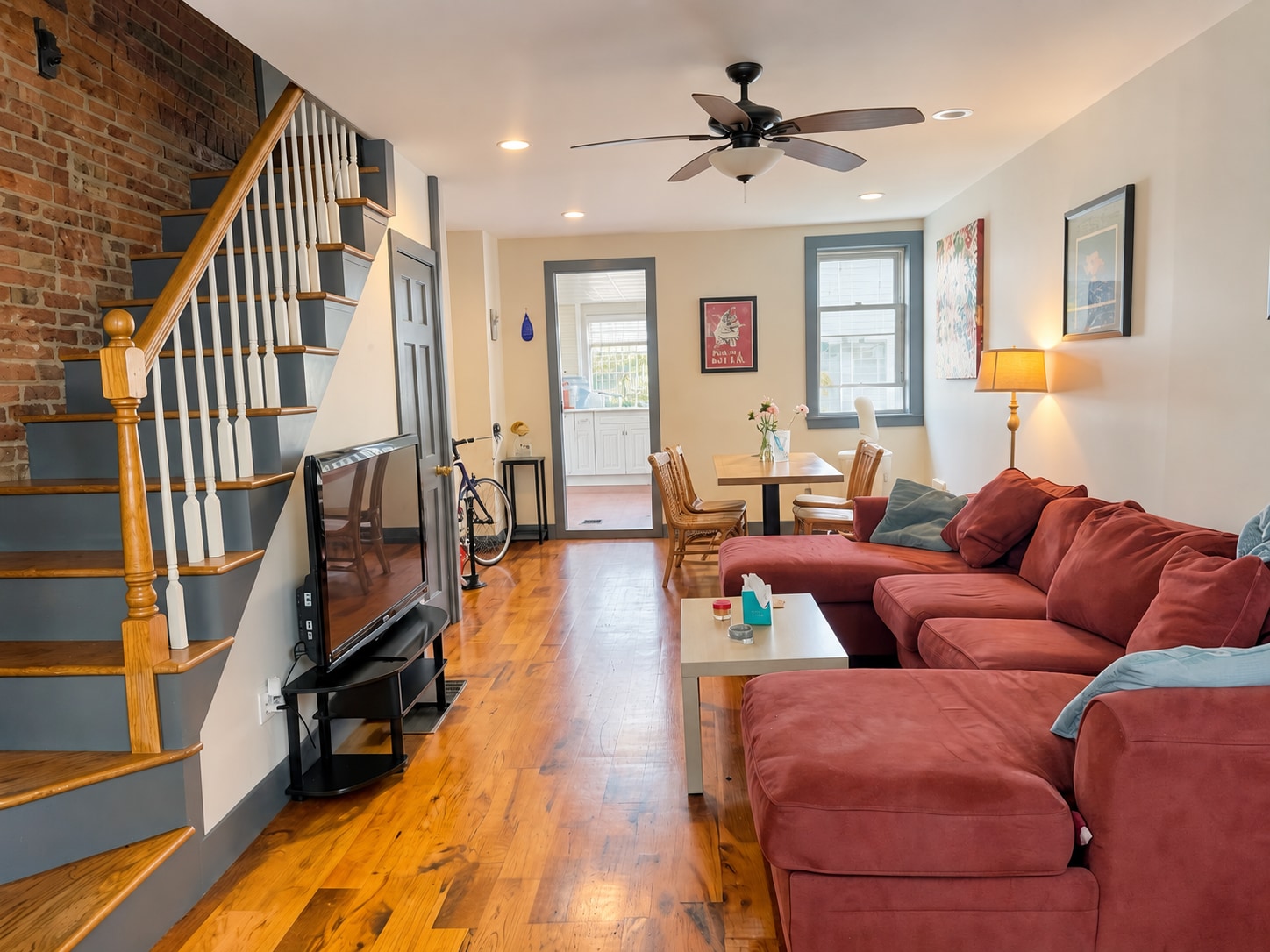
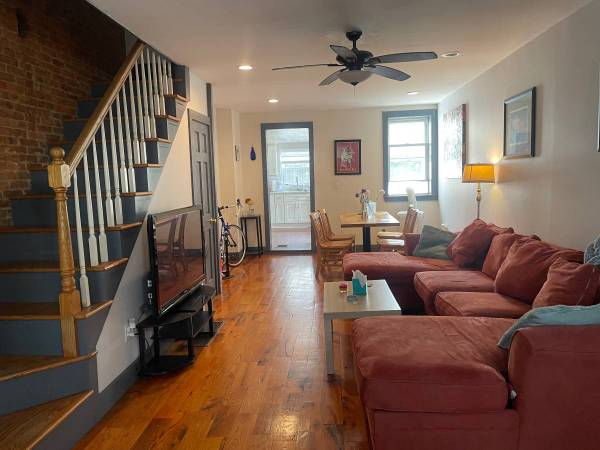
Demonstration image. See what changed and what to check, including the distinction between enhancement, twilight and staged furniture.
Exposure: make the room readable
A bright window can make the rest of a room appear dark. Lifting shadows and balancing highlights helps reveal seating, floors and corners. Inspect the brightest areas too: an edit should not make a window view or light fixture look unnatural.
White balance: correct mixed lighting
Daylight, lamps and ceiling lights can give different parts of a room different color casts. Color correction aims for believable walls, wood and fabric. Compare finishes carefully, especially when their color is a selling feature.
Contrast and detail: avoid the overprocessed look
More sharpness is not always better. Watch for halos around window frames, exaggerated texture and noisy shadows. A finished image should remain comfortable to inspect at normal viewing size and in the full-resolution download.
Know when an edit changes what is shown
Lighting correction, object cleanup, sky replacement and virtual staging are different operations. FrameLifter’s listing workflow can include cleanup and optional treatments, so do not assume every result changes only pixels’ brightness. Review the comparison and describe digitally added furnishings accurately.
Decide whether to enhance or reshoot
A sharp but dark original is a useful candidate for enhancement. A motion-blurred image, hidden room or badly clipped subject is a better candidate for another photograph. Keep the largest original and resize the approved result after editing.
What your listing costs
One photo is $1.99. $9.99 covers 2–5 photos, then $1.99 per additional photo, $1.99 per additional photo after the first five before optional staging. Virtual staging is $4.99 per room and is offered after enhancement.
Preview first, pay for finished downloads. See the complete pricing details.
Frequently asked questions
What does real estate photo enhancement improve?
It can improve exposure, color balance, contrast and visible detail. The final result depends on the source photo, and you should compare it with the original before publishing.
Can enhancement change room details?
AI editing can produce unwanted changes. FrameLifter checks results, but you should still inspect fixtures, surfaces and furnishings in the preview. Cleanup and staging intentionally have a different scope from lighting correction.
Should I resize before editing?
Keep the largest original for enhancement. Resize the finished download only if your destination platform requires a smaller file or different dimensions.