
OPTIONAL PHOTO EDIT · FRAMELIFTER
Day to dusk, from the exterior you already photographed.
Create an evening version with a softer sky and believable light. Keep the home’s architecture and landscaping consistent, then compare the edit before you use it.
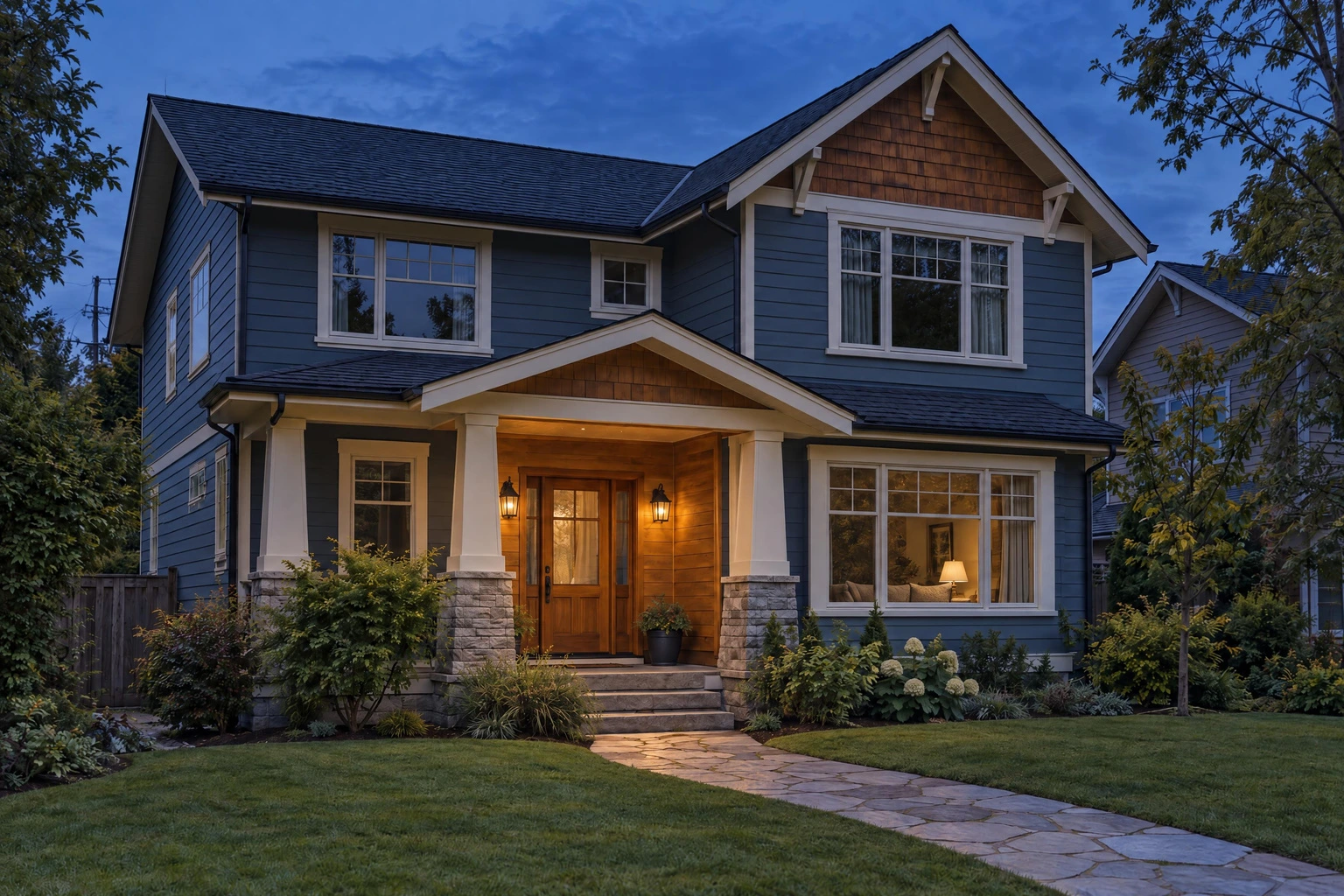
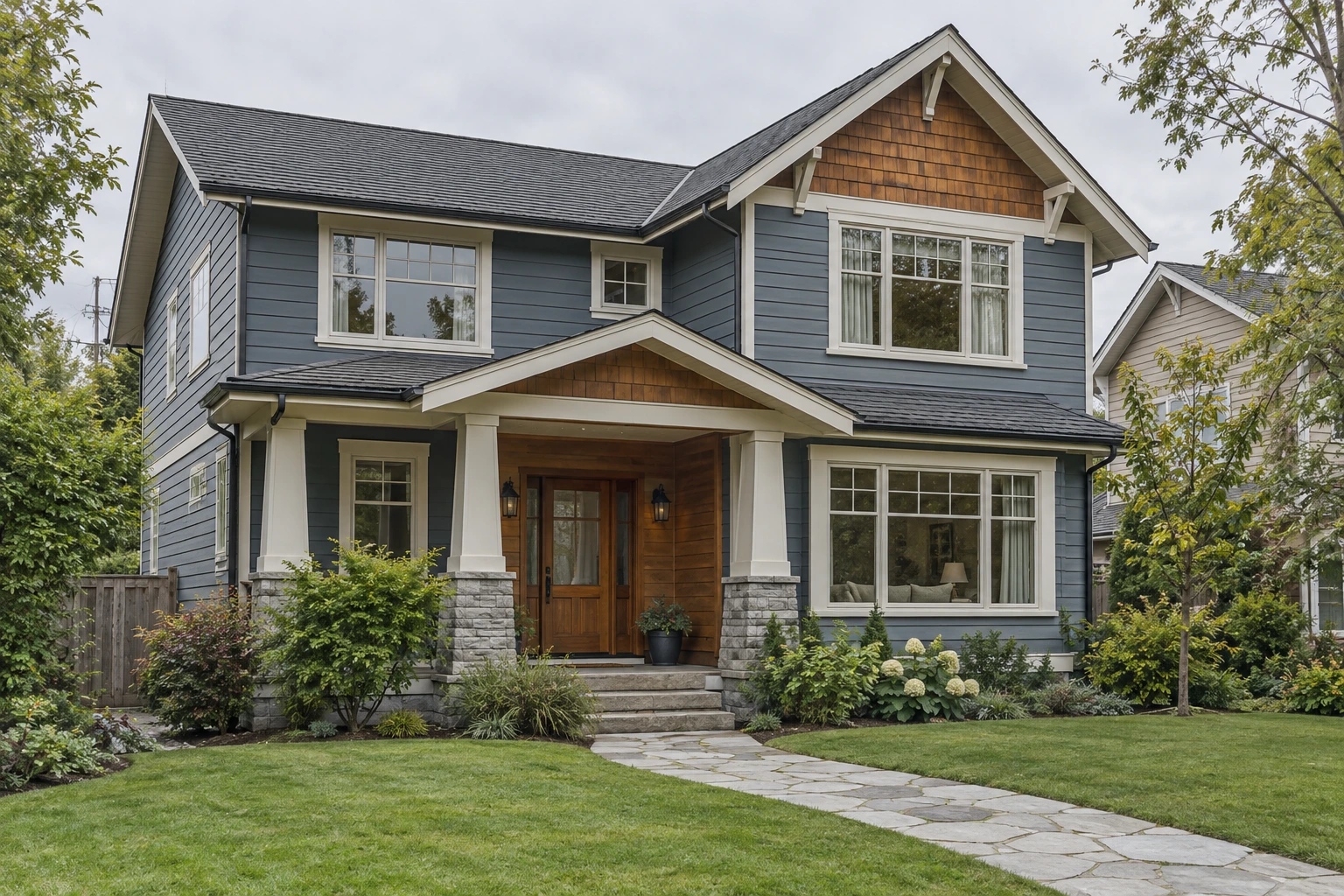
AI-generated demonstration property. The dusk version was made with FrameLifter’s production editor; it is not a customer listing or a photograph taken at sunset.
Make a dusk edit in your purchased gallery
- Upload a clear exterior. Start with a sharp daylight source and compare the free standard enhancement.
- Purchase the finished photo or listing. Your gallery shows the available edit allowance.
- Open the photo editor and choose Day to dusk. Add instructions if needed, then generate the edit. It uses one shared listing edit.
- Compare before keeping it. Inspect the roofline, windows, porch, vegetation and lighting. Keep the result only if it represents the property accurately.
Choose a photo that gives the editor a fair start
Use an exterior with clear building detail, some visible sky and a composition you would publish in daylight. Avoid motion blur, heavily clipped walls and frames where trees hide the whole facade. A different time of day cannot fix a missing angle.
Existing lights can have a restrained glow; the edit should not add fixtures, redesign the garden or invent interior features behind the windows. Review your result at full size, including smaller details.
What is included, and what uses an edit?
Standard enhancement and the optional dusk treatment are separate steps. Purchases include one shared edit per 4 photos, rounded up. A five-photo listing includes 2 edits; a single paid photo includes 1.
You can spend those edits across your listing, including on Day to dusk. Further edits can be purchased if needed. Check the allowance shown in your gallery and the current pricing page.
When to shoot real twilight instead
A real dusk shoot captures the property’s actual lighting, reflections and surroundings at that moment. Choose it when those conditions are central to the image or you need documentary accuracy. A virtual dusk image is a simulated treatment that can complement daytime coverage.
For camera settings, timing and a publishing checklist, see our twilight real estate photography guide. Check your destination’s disclosure rules before publishing an altered image.
Try your exterior photo with FrameLifter.
The free watermarked preview shows standard enhancement. Day to dusk becomes available after purchase.
Questions about Day to dusk
What is day-to-dusk photo editing?
It changes a daytime exterior to simulated evening light. It can adjust the sky and ambient illumination, with restrained glow from existing lights, while keeping the property’s physical features consistent.
Is Day to dusk part of the free preview?
No. The free watermarked preview is standard photo enhancement. Day to dusk is an optional edit in your purchased gallery and uses one listing edit.
How many edits are included?
A purchase includes one shared listing edit per 4 photos, rounded up, with at least one for a paid photo. A five-photo listing includes 2 edits. Day to dusk uses one of those edits; it is not an unlimited conversion of every exterior.
Can I publish a virtual twilight photo on the MLS?
Check your own MLS or listing platform’s current rules for altered images and disclosure. Keep the original and review the edit for changes to the building, view, landscaping and condition.
Do I keep my daytime photo?
Keep your original source file. In the editor, compare the generated edit before choosing whether to keep it. A dusk image can complement a clear daylight exterior in your listing.